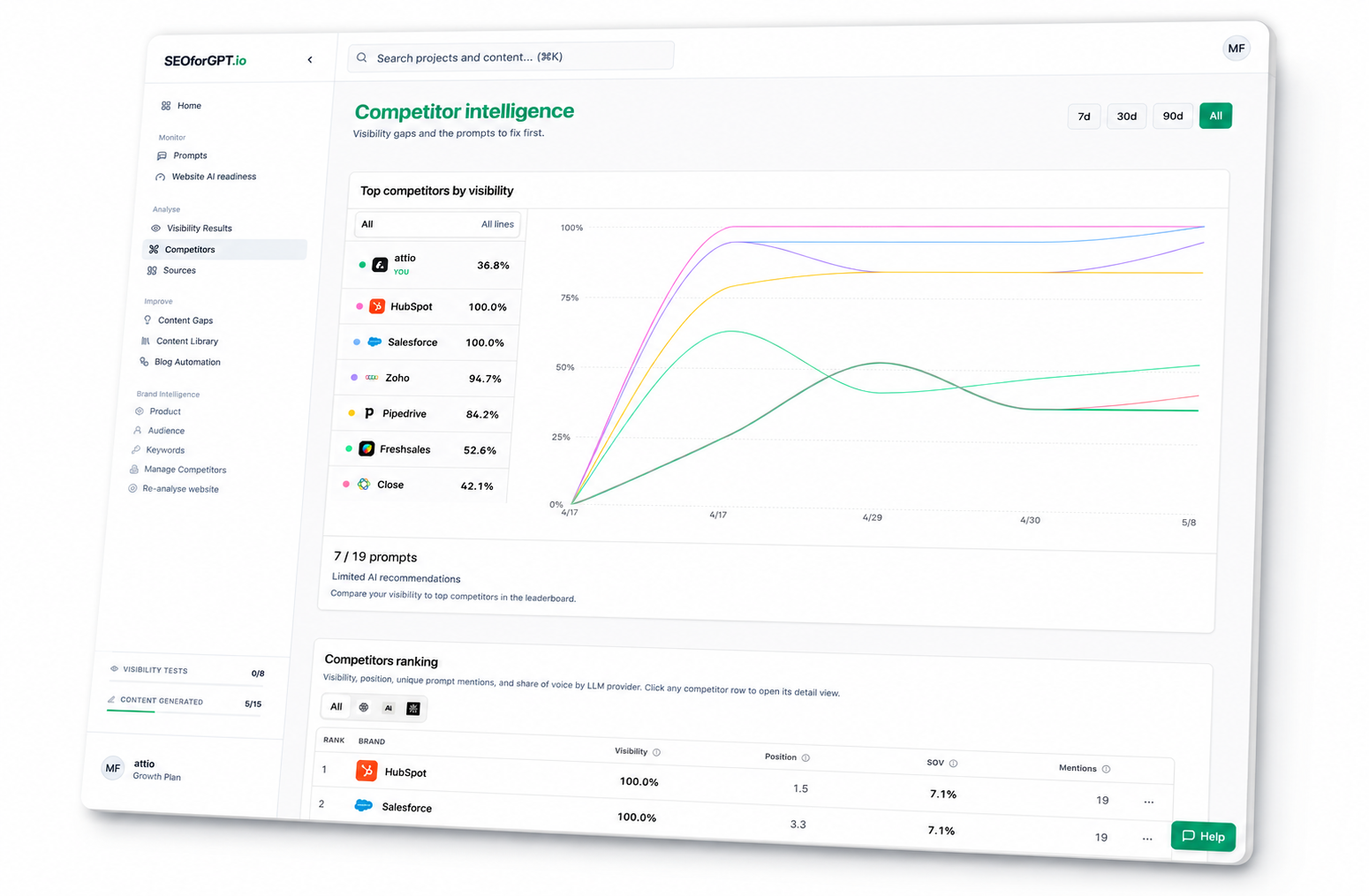
Monitor visibility
Checks freshness, runs entitled measurements, and finds meaningful movement.
Give your agent the complete workflow for turning AI visibility evidence into content, authority, and measurable progress.
Measure. Prioritize. Create. Save. Report. Repeat.
The skill turns a configured operating mandate into recurring execution. It moves from evidence to the next valid action and records hard gates instead of waiting for instructions after every step.
Checks freshness, runs entitled measurements, and finds meaningful movement.
Ranks losing prompts, competitor advantages, citations, and readiness issues.
Plans the strongest opportunity, generates, improves, and saves a new version.
Builds readiness checklists and outreach angles from observed evidence.
Logs completed work, hard gates, quota use, and the next scheduled cycle.
The bigger outcome
Stop treating GEO like another dashboard to check. The agent connects measurement, competitive intelligence, content, authority, and reporting into one compounding system.
Focus every cycle on the buyer questions, competitor gaps, and citations most likely to change visibility.
Move from insight to improved content, saved versions, readiness priorities, and prepared authority work.
Run one brand or an agency portfolio with consistent logic, clear project boundaries, and auditable execution.
Tie movement to completed actions and close every cycle with evidence, blockers, and the next plan.
Choose your operating model
The measurement foundation is shared. The agency skill adds client selection, isolation, portfolio prioritization, workspace boundaries, and client-ready reporting.
For one brand team
Your agent monitors AI answers, finds the visibility gaps that matter, and turns the strongest opportunities into finished work.
For agencies and client portfolios
Your agent prioritizes every client, executes the highest-value GEO work, and closes each cycle with proof your agency can report.
Initial account provisioning remains in SEOforGPT. After that one-time boundary, the skill and MCP connection give the agent everything needed for recurring work.
Complete SEOforGPT signup, onboarding, and the initial visibility test.
The agent retrieves the portable package and validates its references.
Authorize the existing projects and client workspaces the agent may operate.
Define scope, cadence, quota policy, CMS-draft policy, and hard external gates once.
Clear category definition
An AI visibility agent skill is a reusable instruction package that teaches an AI agent how to autonomously execute Generative Engine Optimization (GEO), Answer Engine Optimization (AEO), and AI visibility workflows. It defines the evidence standard, tool sequence, operating cadence, stopping conditions, and required execution log.
The format follows the open Agent Skills specification: a SKILL.md file plus focused workflow and tool references. Live data access is provided separately through the Model Context Protocol authorization flow.
GEO, AEO, LLM optimization, and AI visibility overlap in practice. These skills organize the work around the measurable outcome: whether a brand is mentioned, recommended, ranked, and cited when buyers ask AI systems relevant questions.
Teaches the agent how to prioritize, execute, continue, and stop safely without step-by-step prompting.
Provides authorized project data and a small, stable tool surface for measurement and execution.
Defines workspace scope, quota policy, cadence, draft policy, and the external actions that remain gated.
MCP can expose the tools. The skill is what turns them into a persistent operating system.
Without the skill
With the skill
Resolve the configured project or portfolio from stable workspace IDs.
Check status, entitlements, quota, freshness, and active jobs.
Measure or retrieve visibility, trends, competitors, citations, and readiness.
Maintain prompts and classifications, then rank the highest-value opportunity.
Execute content, save the improved version, and prepare authority work.
Log completed actions and hard gates, then schedule the next check.
Clear answers about setup, compatibility, permissions, cost, scheduling, and what “autopilot” means in practice.
A GEO agent skill is a reusable set of instructions that teaches an AI agent how to measure and improve visibility in generative answers. It defines the autonomous workflow, evidence rules, tool sequence, operating cadence, hard gates, stopping conditions, and execution log for Generative Engine Optimization.
No. The skill teaches the agent how to perform the workflow. MCP gives the agent authorized tools and live data. SEOforGPT combines both: the skill supplies the operating procedure and the hosted MCP supplies project-scoped actions.
The terms overlap. GEO focuses on generative-engine visibility, AEO focuses on being selected in direct answers, and AI visibility is the measurable outcome across AI systems. The SEOforGPT skills cover the shared operating workflow rather than forcing users into one acronym.
They are written as portable Markdown Agent Skills. Agents that can load instruction files and call remote MCP tools can use the complete workflow. Installation and scheduling vary by agent host.
You can inspect the MIT-licensed skill files without an account. To use live visibility data or take SEOforGPT actions, first create and onboard the workspace in SEOforGPT, wait for the initial test, and then authorize the MCP connection.
No. Signup, initial project or client creation, onboarding, and the first visibility test remain human-controlled in the SEOforGPT web app. The agent operates an existing authorized workspace after setup is complete.
It means one configured operating mandate starts a complete measurement-to-action workflow. The agent checks status, uses available quota according to policy, executes routine work, saves outputs, records hard gates, and schedules the next cycle. Live publishing, public links, and external outreach remain gated unless explicitly authorized.
Yes, when its host or an external automation platform supplies the schedule. The skill supplies the full recurring procedure, decision rules, stopping conditions, and execution log; SEOforGPT continues enforcing workspace access, entitlements, and quota.
The brand skill operates one configured brand project. The agency skill adds portfolio triage, pitch versus active-client boundaries, explicit client isolation, per-client quota checks, hard-gate tracking, and client-ready reporting.
The skill packages are published under the MIT license. SEOforGPT data, model testing, content generation, publishing, and reporting actions remain governed by the connected account’s plan and quota.
The full workflow requires an agent environment that can load Markdown skill files and connect to a remote MCP server. A chat product without both capabilities can read the instructions but cannot perform the live SEOforGPT actions.
The agent can only request data and actions available to the SEOforGPT account authorized through MCP. Project permissions, workspace status, plan entitlements, and quota are enforced by SEOforGPT rather than trusted to the prompt alone.
No. They standardize how evidence is measured, interpreted, acted on, and reported. Generated answers vary by provider and run, and no skill can guarantee mentions, recommendations, ranks, citations, or traffic.
Choose the skill that matches how you work. Complete SEOforGPT onboarding first, connect the hosted MCP, then let your agent run the repeatable workflow with live evidence.
We use cookies to enhance your experience, analyse site traffic and measure advertising. Read our Cookie Policy